Complete Guide to Staking in Kleros Humanity Court
Introduction
Humanity Court resolves disputes about human identity verification for Proof of Humanity, a protocol that creates verified lists of unique humans. As a juror, you evaluate photo and video evidence to determine if registrations meet the requirements.
Available Networks:
| Network | Min Stake | Vote Stake | Reward per Vote |
|---|---|---|---|
| Gnosis Chain (Recommended) | 1,200 stPNK | 1,200 stPNK | 6.00 xDAI |
| Ethereum Mainnet | 10,000 PNK | 5,000 PNK | 0.0052 ETH |
Note: The Humanity Court on Arbitrum (Court V2) is NOT connected to Proof of Humanity. PoH disputes are only resolved on Gnosis Chain and Ethereum Mainnet.
Why Choose Gnosis Chain?
Gnosis Chain offers several advantages for new jurors: lower entry barrier (1,200 vs 10,000 PNK minimum), significantly lower gas costs ($0.10–0.30 per transaction), and faster case resolution with shorter time periods.
Prerequisites
Wallet Setup
Rabby Wallet (Recommended): It automatically switches networks and displays transaction previews, including security warnings. Download from rabby.io.
MetaMask (Alternative): Requires manual network configuration.
Gnosis Chain Configuration:
Network Name: Gnosis Chain
RPC URL: <https://rpc.gnosischain.com>
Chain ID: 100
Currency: xDAI
Explorer: <https://gnosisscan.io>
Ethereum Mainnet Configuration:
Network Name: Ethereum Mainnet
RPC URL: <https://cloudflare-eth.com> (or default)
Chain ID: 1
Currency: ETH
Explorer: <https://etherscan.io>
Token Requirements
| Network | PNK Token Contract | Gas Token |
|---|---|---|
| Gnosis Chain | 0x37b60f4e9a31a64ccc0024dce7d0fd07eaa0f7b3 |
xDAI |
| Ethereum Mainnet | 0x93ed3fbe21207ec2e8f2d3c3de6e058cb73bc04d |
ETH |
Display Note: On Gnosis Chain, the interface displays your tokens as stPNK (staked PNK). This is the same token with a different display name.
Getting PNK
On Gnosis Chain
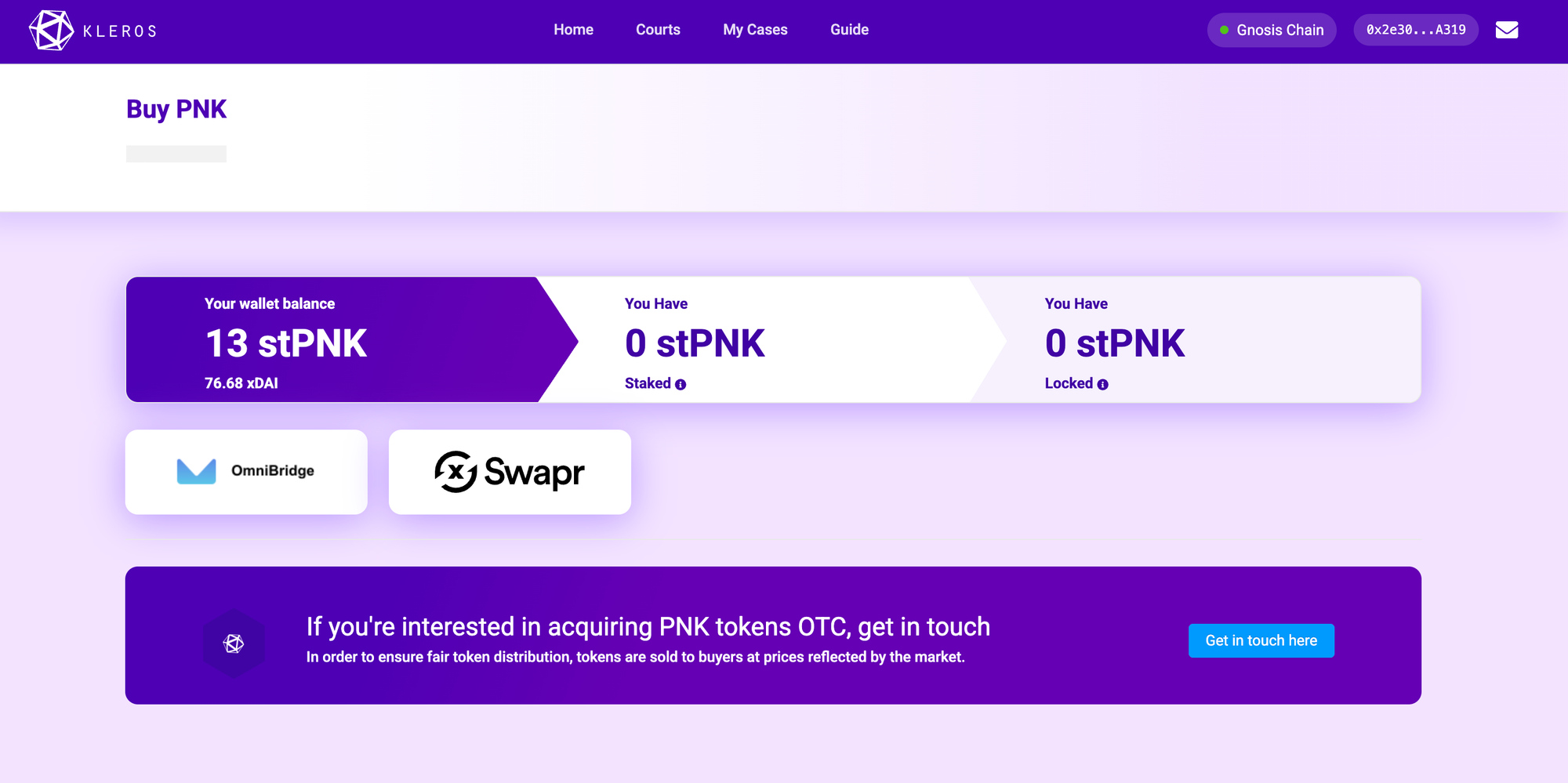
Navigate to the Buy PNK page on court.kleros.io while connected to Gnosis Chain.

Available options:
- OmniBridge: Bridge PNK from Ethereum to Gnosis
- Swapr: Decentralized exchange on Gnosis (swapr.eth.limo)
On Ethereum Mainnet
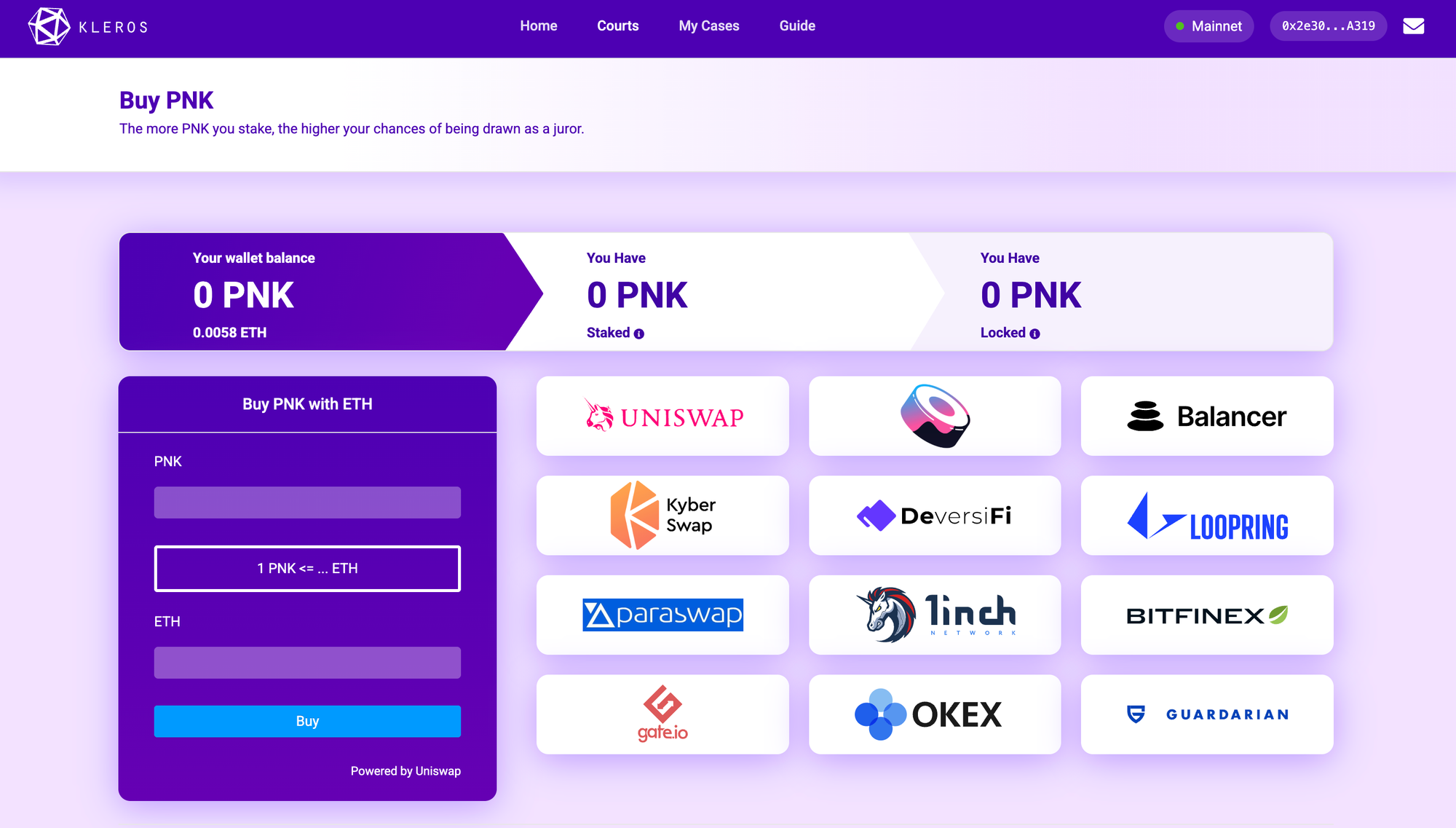
Navigate to the Buy PNK page on court.kleros.io while connected to Ethereum Mainnet.
Decentralized Exchanges: Uniswap, KyberSwap, Balancer, DeversiFi, Loopring, Paraswap, 1inch
Centralized Exchanges: Gate.io, OKEx, Bitfinex, Guardarian
Interface Navigation
Accessing Courts
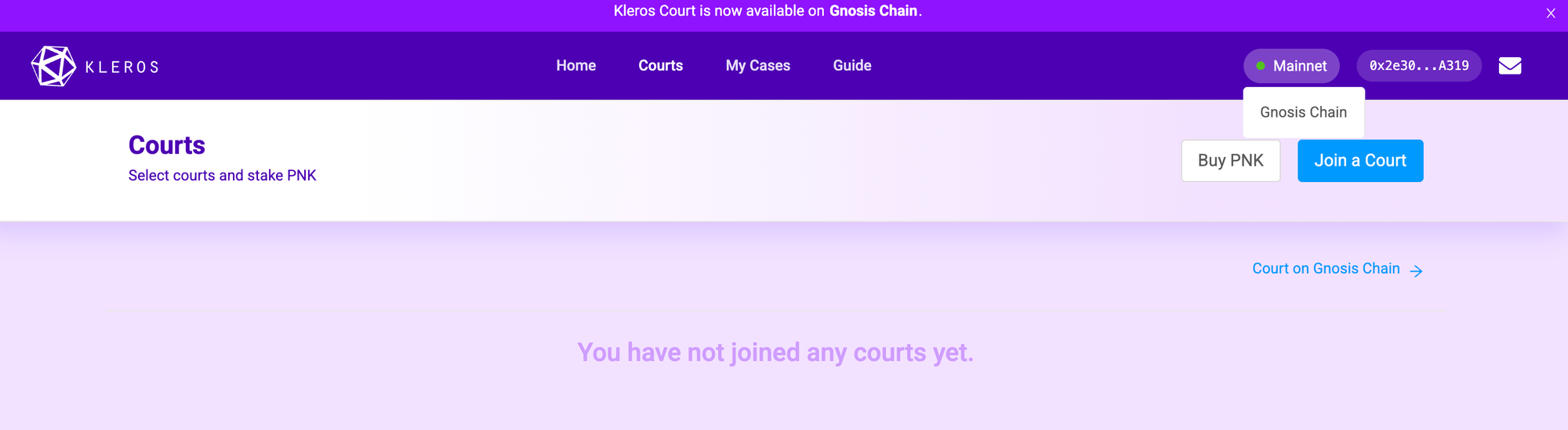
- Visit court.kleros.io and connect your wallet
- Use the network switcher in the top-right to select your network
- Click Join a Court button
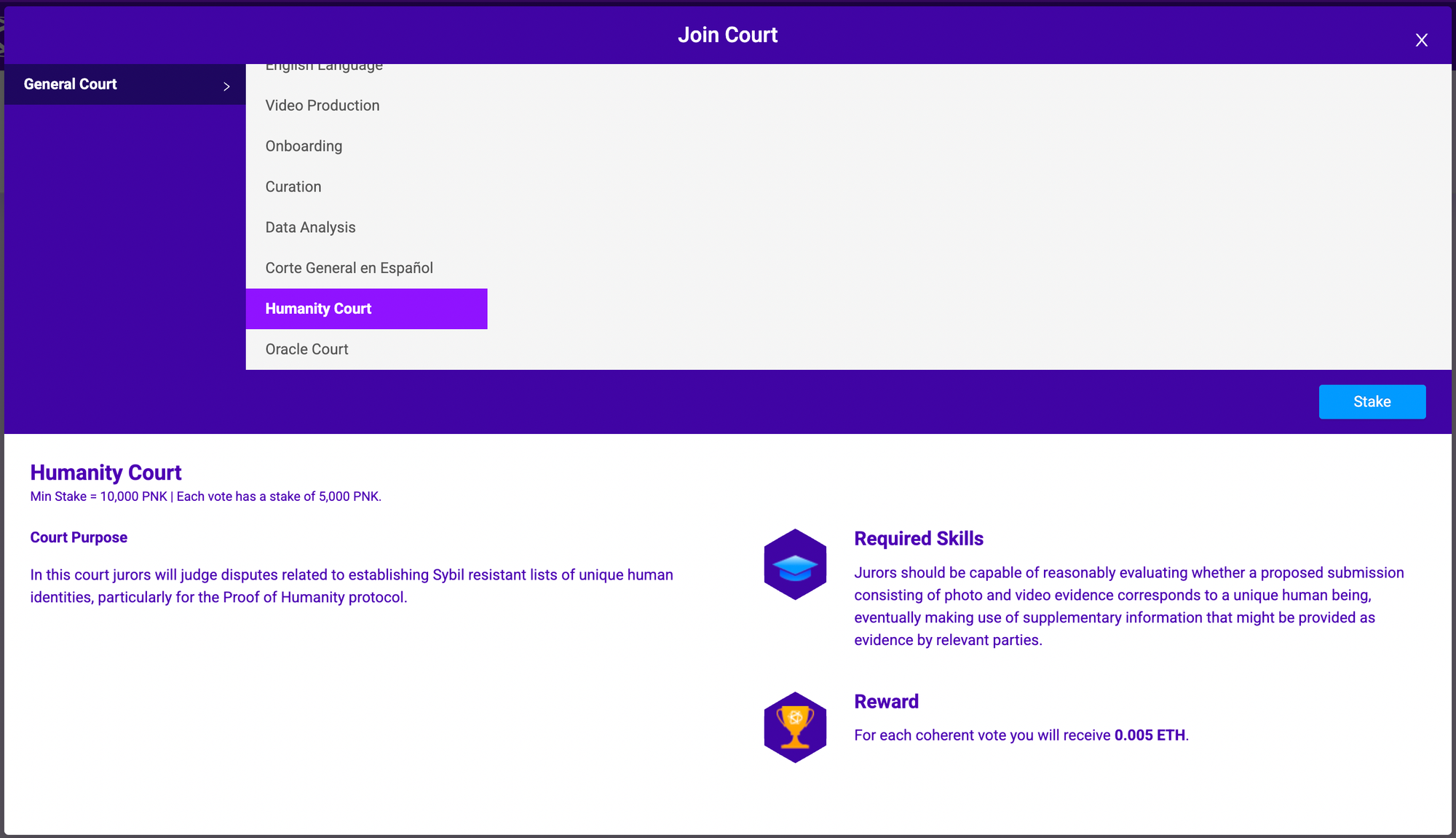
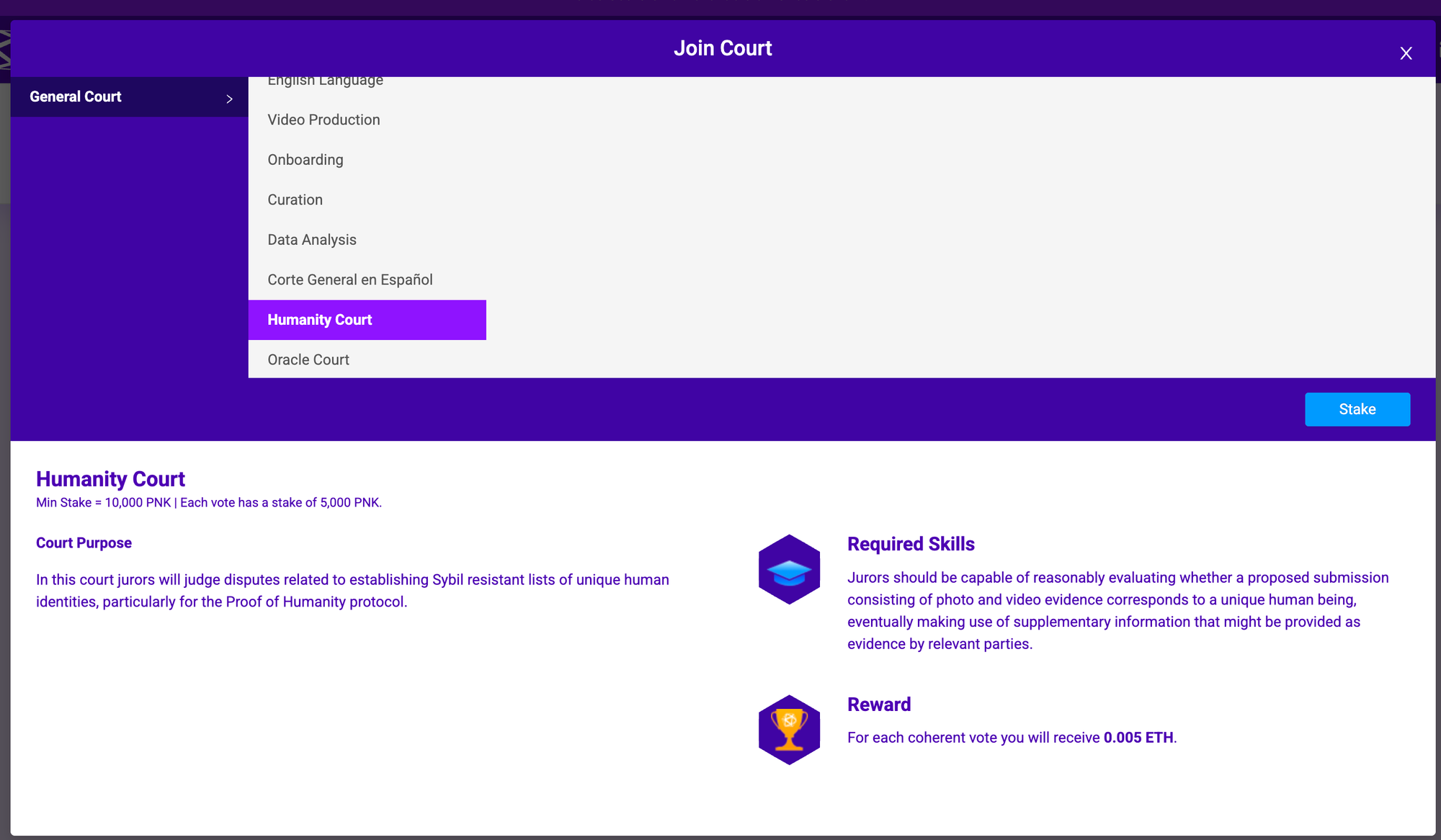
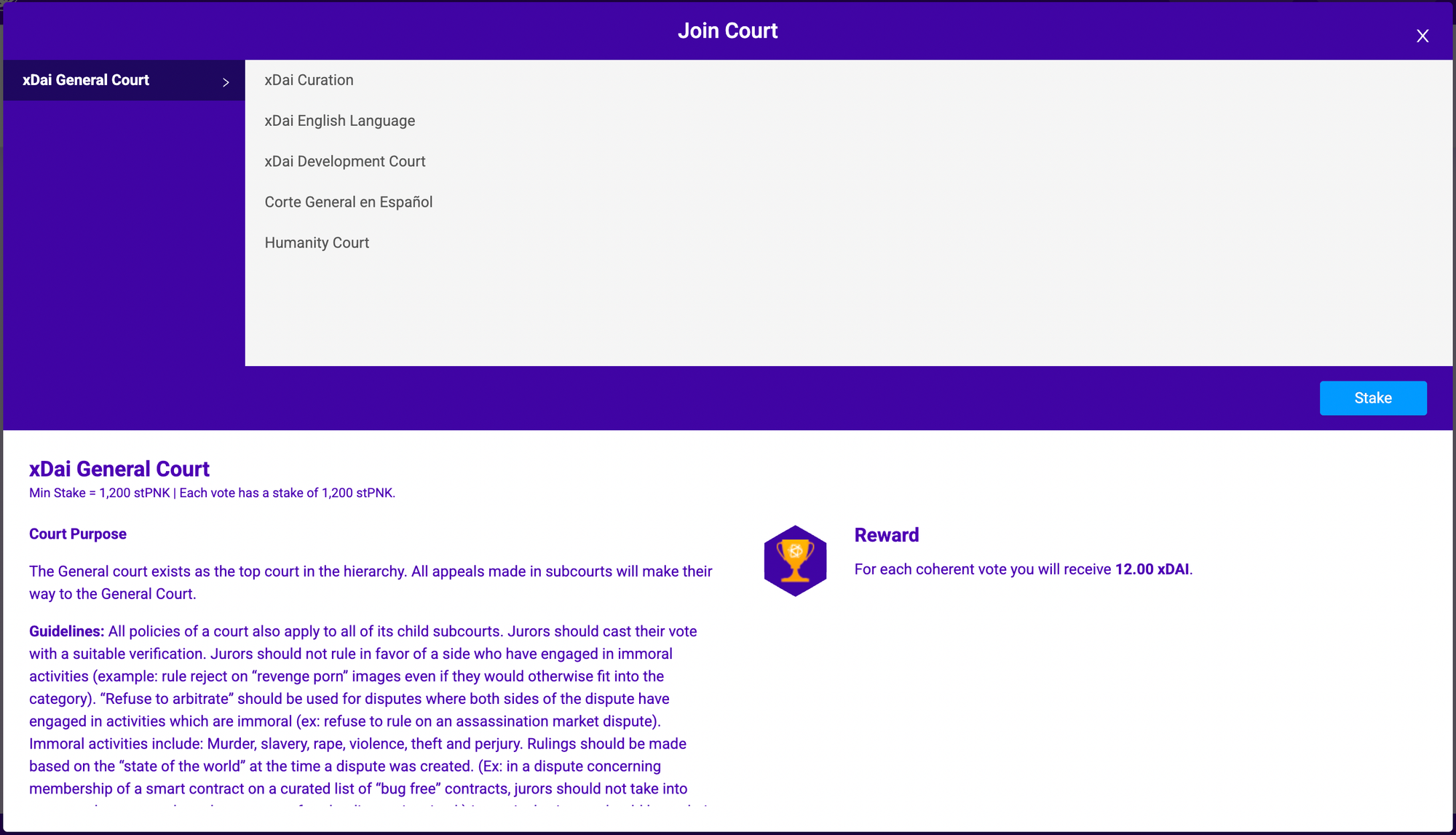
- In the modal, click General Court (Ethereum) or xDai General Court (Gnosis) to expand subcourts
- Select Humanity Court from the list
Court Details View
When you select Humanity Court, the interface displays:
Court Purpose: "In this court jurors will judge disputes related to establishing Sybil resistant lists of unique human identities, particularly for the Proof of Humanity protocol."
Required Skills: "Jurors should be capable of reasonably evaluating whether a proposed submission consisting of photo and video evidence corresponds to a unique human being, eventually making use of supplementary information that might be provided as evidence by relevant parties."
Staking Process
For PNK Airdrop Recipients
If you're claiming PNK from the airdrop, a Claim + Stake option is available for the first 10,000 PoH registrants. This allows you to claim your airdrop and stake directly to Humanity Court in a single transaction.
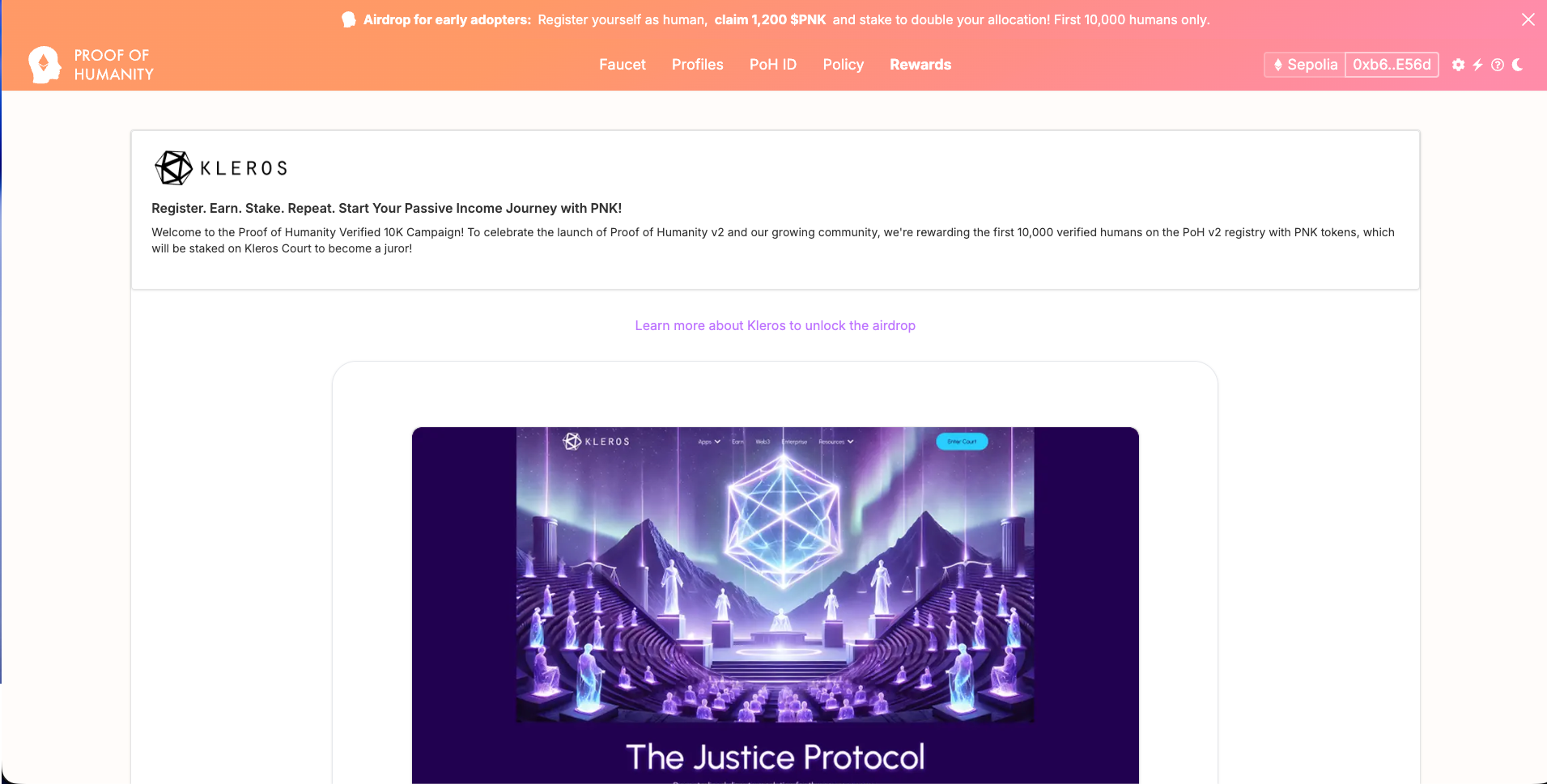
Step 1: Access Staking Modal
From the Humanity Court details view, click the Stake button.
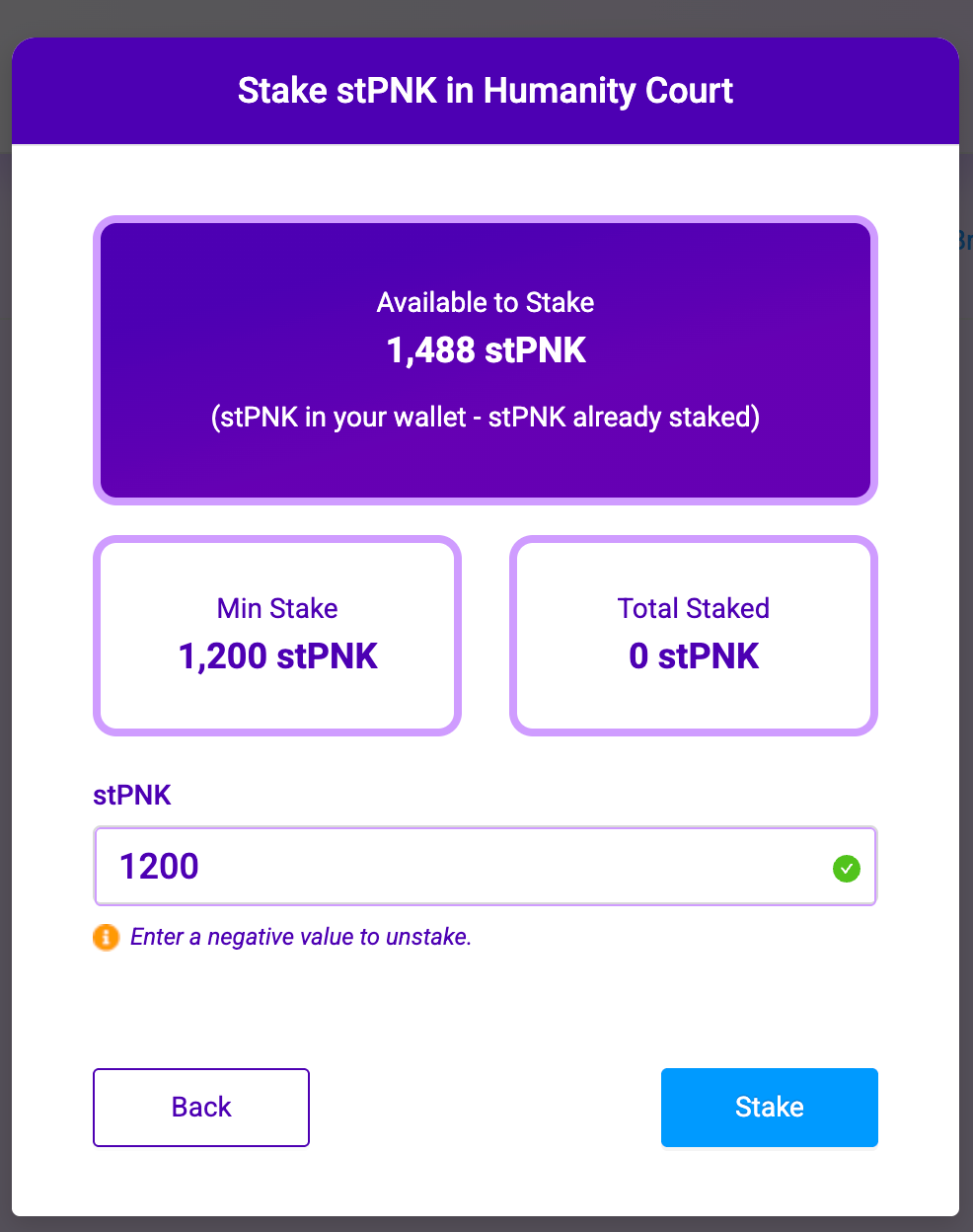
The modal displays:
- Available to Stake: Your wallet balance minus any already staked amount
- Min Stake: Minimum required to join the court
- Total Staked: Your current stake in this court
Step 2: Enter Stake Amount
Enter your desired stake amount in the input field. The amount must meet or exceed the minimum stake requirement.
Recommended Amounts:
| Network | Minimum | Balanced | Higher |
|---|---|---|---|
| Gnosis | 1,200 stPNK | 5,000 stPNK | 10,000 stPNK |
| Ethereum | 10,000 PNK | 20,000 PNK | 50,000 PNK |
Tip: Keep at least 2,000 PNK unstaked to avoid automatic unstaking if you vote incoherently.
Step 3: Confirm Transaction
Click Stake, review the transaction in your wallet, and confirm. Wait 10–30 seconds for confirmation.
Unstaking (Gnosis Chain)
On Gnosis Chain, enter a negative value in the staking input to unstake. For example, enter -1200 to unstake 1,200 stPNK.
Restriction: You can only unstake PNK that is not locked in active cases.
Notifications Setup
Missing a voting deadline results in automatic loss of your locked stake. Enable notifications immediately after staking.
Click the envelope icon (✉️) in the top navigation bar.
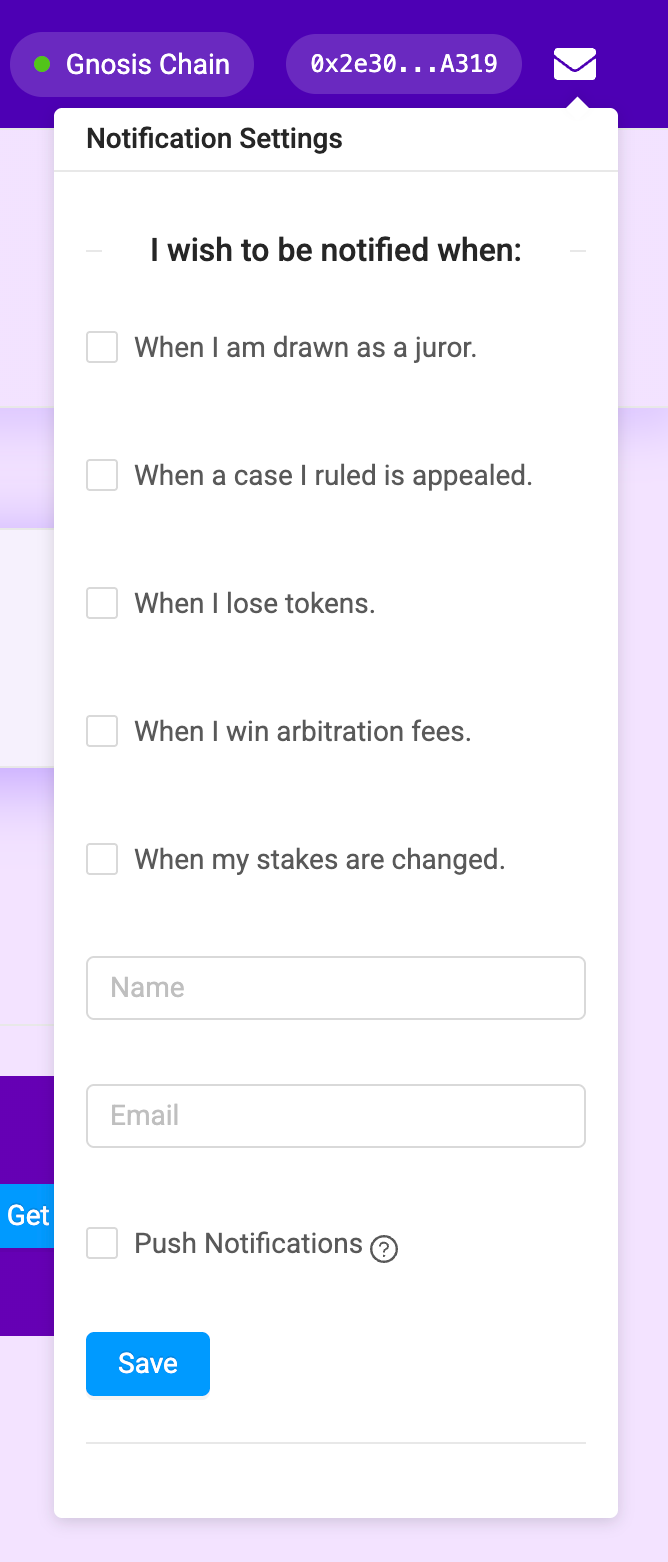
Enable all notification types:
- When I am drawn as a juror
- When a case I ruled is appealed
- When I lose tokens
- When I win arbitration fees
- When my stakes are changed
Enter your email address, optionally enable Push Notifications, and click Save. Verify your email by clicking the confirmation link.
Juror Selection
How Selection Works
Your selection probability is proportional to your stake relative to total staked PNK:
Selection Probability = (Your Stake / Total Stake) × Jurors Needed
When Selected
Your vote stake locks until the case resolves:
- Gnosis: 1,200 stPNK locked per vote
- Ethereum: 5,000 PNK locked per vote
Coherent Vote (matches final decision):
- Locked PNK returned
- Receive arbitration fee
- Share of slashed PNK from incoherent voters
Incoherent Vote (differs from final decision):
- Lose locked PNK (redistributed to coherent voters)
- No arbitration fee
Case Phases
| Phase | Gnosis Duration | Ethereum Duration |
|---|---|---|
| Evidence | ~1 day 15 hours | ~6 days 6 hours |
| Voting | ~3 days 9 hours | ~5 days 1 hour 30 minutes |
| Appeal | ~2 days 6 hours | ~3 days 9 hours |
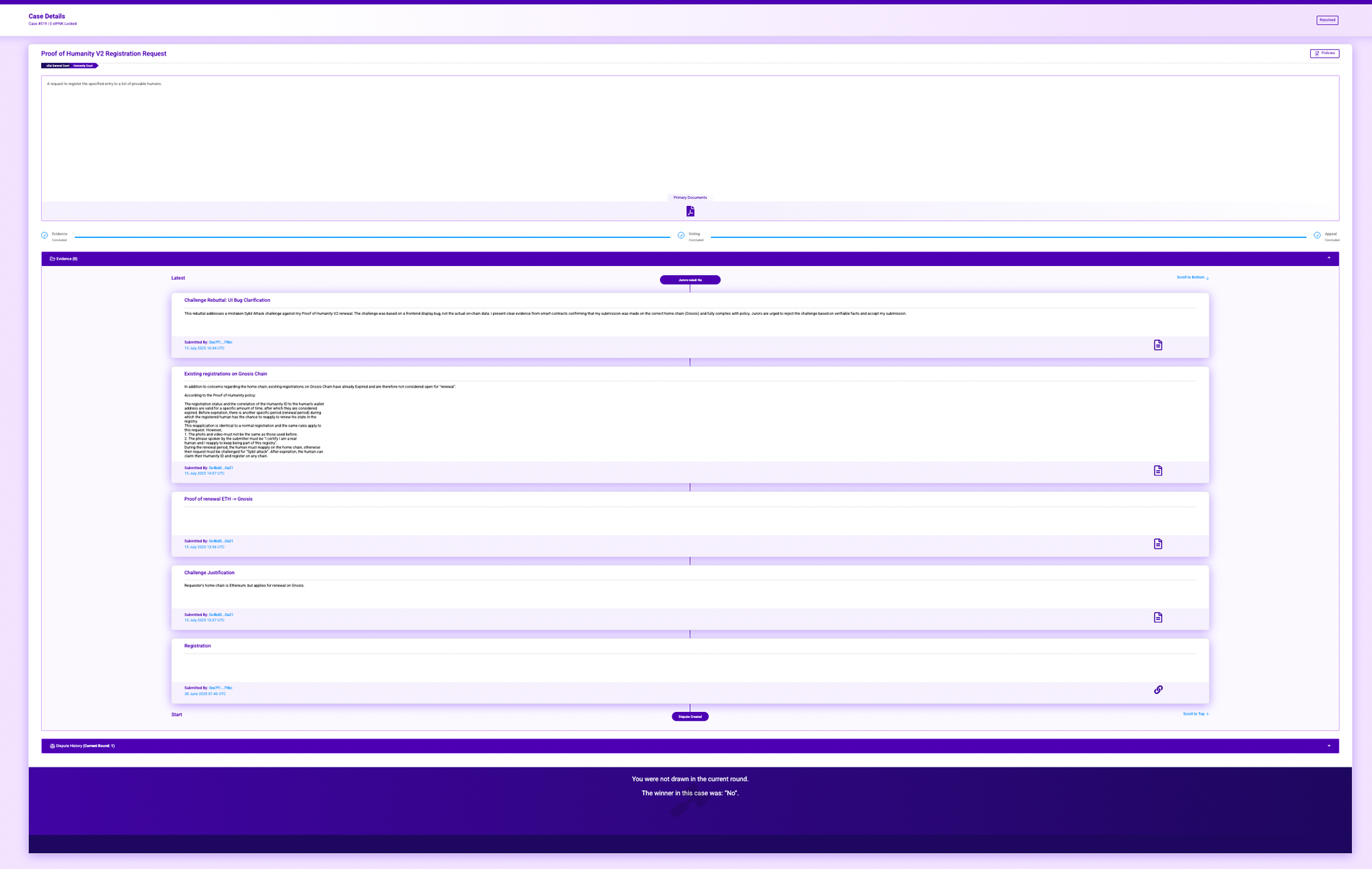
Judging Cases
Evidence Review
Examine all submitted evidence:
- Photos: Clear face visibility, sign with required information, matches video
- Videos: Required phrase spoken clearly, audio-video synchronized, natural movements
- Documents: Policy compliance, challenge justifications, rebuttals
Voting
- Read the complete court policy
- Review ALL evidence submissions
- Select your voting option
- Enter justification (optional but recommended)
- Submit vote and confirm in wallet
Important: Votes cannot be changed after submission. Submit at least 24 hours before deadline.
Managing Your Stake
Viewing Your Position
Your current stake information displays:
- My Stake: Total PNK staked in this court
- Locked Stake: PNK locked in active cases
- Available to Unstake: My Stake minus Locked Stake
Adding More Stake
Enter the additional amount in the staking input and confirm.
Unstaking
Formula:Available to Unstake = My Stake - Locked Stake
Wait for active cases to resolve before unstaking locked amounts.
Troubleshooting
Common Issues
Cannot find stake or court
- Verify correct network (Gnosis or Ethereum) in wallet and interface
- PoH cases only appear on Gnosis Chain and Ethereum Mainnet courts
- Court V2 on Arbitrum has Humanity Court but it is NOT connected to PoH
Transaction failed
- Ensure sufficient gas (xDAI or ETH)
- Check correct network selected
- Try disconnecting and reconnecting wallet
Not receiving notifications
- Check spam folder
- Verify email spelling and clicked verification link
- Re-enable all notification checkboxes
- Add court.kleros.io to safe sender list
Cannot unstake
- Check locked stake amount
- Can only unstake unlocked PNK
- Wait for active cases to resolve
Resources
| Channel | Link |
|---|---|
| Discord | discord.gg/kleros (#jurors, #poh) |
| Telegram | t.me/kleros |
| Forum | forum.kleros.io |
| Documentation | docs.kleros.io |
| support@kleros.io |
Key Reminders
- Missing deadline = lose locked stake, No exceptions
- Cannot unstake locked PNK. Wait for cases to resolve
- Cannot change vote after submission. Review carefully before submitting
- Coherent votes earn, incoherent votes lose. Study court policy thoroughly
- Selection is probability-based; More stake increases selection frequency